Free Color Palette Maker
Paletta — Extract Colors from Any Photo
Paletta is a free iOS app that extracts beautiful color palettes from any photo. Pick colors from your camera or photo library, get precise HEX codes, and create harmonious palettes for your design projects.
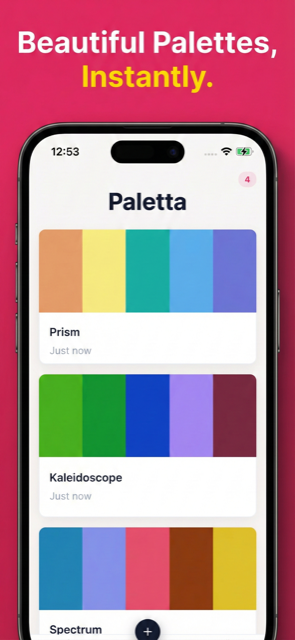
See It in Action
From photo to palette — instant color inspiration.
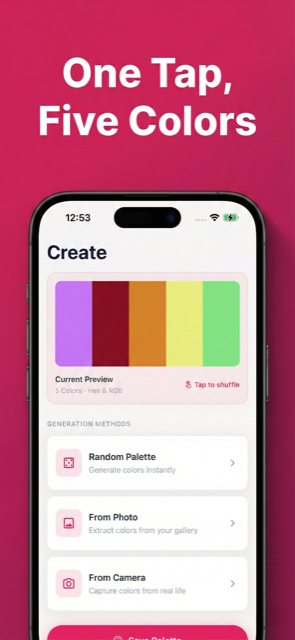
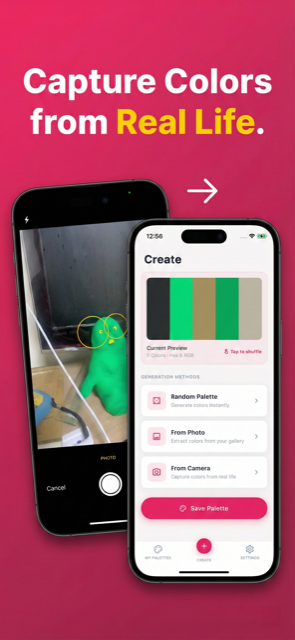
Your Pocket Color Studio
Everything you need to capture, create, and share color palettes.
Extract Colors from Photos
Point your camera or select any photo. Paletta instantly identifies dominant colors and builds a harmonious palette from the image.
Color Harmony Suggestions
Get complementary, analogous, and triadic color suggestions to build palettes that work beautifully together.
HEX, RGB & HSL Codes
Every color comes with precise HEX, RGB, and HSL values. Tap to copy any code to your clipboard.
Camera Color Picker
Use your camera as a real-time color picker. Point at any object and capture its exact color.
Save & Organize
Save your favorite palettes and organize them by project. Access your color library anytime.
Share Palettes
Export palettes as images or copy individual color codes. Share with your team via any app.
Three Steps to Perfect Colors
Capture
Take a photo or pick one from your library.
Extract
Paletta identifies dominant colors and builds your palette.
Use
Copy HEX codes or share the palette with your team.
Looking for a Free Color Picker App?
Paletta makes color extraction effortless. No design experience needed.
| Feature | Paletta | Coolors | Adobe Color |
|---|---|---|---|
| Price | Free | Free (limited) | $22.99/mo (CC) |
| Photo Extraction | Yes | Yes | Yes |
| Camera Picker | Yes | No | No (web only) |
| Offline Mode | Yes | No | No |
| Color Formats | HEX/RGB/HSL | HEX/RGB | HEX/RGB/HSL |
| Account Required | No | Optional | Yes |
| Platform | iPhone & iPad | Web + iOS | Web only |
Frequently Asked Questions
- Is Paletta free?
- Yes, Paletta is completely free to download and use. There are no subscriptions, in-app purchases, or hidden fees. The app is supported by non-intrusive ads.
- Does Paletta work offline?
- Yes, Paletta works entirely offline. Color extraction and palette creation happen on your device with no internet needed.
- How do I extract colors from a photo?
- Open Paletta, select a photo from your library or take one with your camera. Paletta automatically extracts the dominant colors and creates a palette you can customize.
- What color formats does Paletta support?
- Paletta provides color codes in HEX, RGB, and HSL formats. Tap any color to copy its code to your clipboard for use in design tools.
- Can I create custom palettes?
- Yes, you can manually adjust extracted colors, add new ones, or build palettes from scratch. Paletta also suggests harmonious color combinations.
- Can I share my palettes?
- Yes, export palettes as images or copy color codes to share with your team. Works with any design tool or messaging app.
- What devices does Paletta support?
- Paletta is available for iPhone and iPad running iOS 16 or later. It supports English, Korean, Japanese, and Spanish.
Start Capturing Colors
Download Paletta for free. Turn any photo into a beautiful color palette.


